Hey there, if you’ve ever found yourself staring at a Cisco switch rack in one corner of your server room and a Wi-Fi access point (AP) stack in the other, wondering if those two boxes can actually play nice together—you’re not the only one. As the guy who’s spent the last 8 years selling Cisco switches for a living, I get this question all the time: Can Cisco switches be used in a wireless network? The short answer? Heck yes—they’re not just for hardwired desktops and servers, trust me. Let me break this down like I would when I’m on a customer call, no stuffy jargon, just real-world stuff I’ve seen work (and once or twice, work horribly). Switches for Cisco
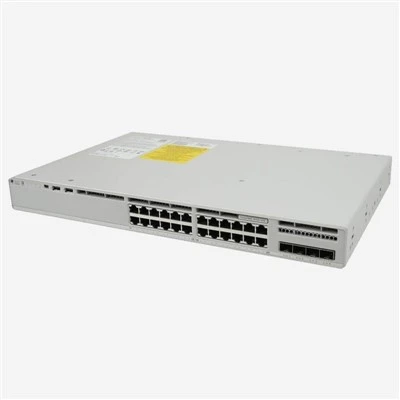
First off, let’s clear up a common mix-up. A lot of folks think wireless networks only run on Wi-Fi APs and routers. But think about it: what does a Wi-Fi AP actually need to send that cat video or Zoom call to your laptop? It needs wired bandwidth, right? And where does that bandwidth come from? That’s where Cisco switches step in. Most APs aren’t standalone powerhouses—they need a network to plug into, and 9 times out of 10, that plug goes straight into a Cisco switch port. I’ve sold hundreds of Catalyst 9200s and 9300s to customers who thought they were buying a “wireless network setup” and ended up needing a solid switch backbone to hold it all together.
Wait, let’s get specific about the tech, but keep it simple. Wireless networks rely on two big things these days: data throughput and power for the APs. If you’ve got a high-density area—like a coffee shop with 500 students during study hall, or a warehouse where every forklift has a Wi-Fi-connected tablet—you can’t skimp on switch ports. Cisco switches support PoE, which stands for Power over Ethernet, and that’s a game-changer here. That single Ethernet cable plugging your AP into the switch? It delivers both data and power, so you don’t have to run separate power outlets for every AP. I remember a customer who tried using cheap no-name switches for their office APs—half the APs kept dropping the signal because the cheap ports couldn’t supply enough PoE. Switched them to Cisco Catalyst 1000s, and the problem was gone by next lunch. No more dead zones in the conference rooms.
Another big one for wireless networks is VLANs. If you’ve got a office, you probably have separate networks for staff, guest Wi-Fi, and maybe IoT devices like smart thermostats. Cisco switches let you set up VLANs (virtual LANs) super easily, so you can keep guest Wi-Fi traffic separate from internal staff traffic. That’s not just a security thing—it keeps the wireless network from getting clogged up. I once had a small business client whose guest Wi-Fi was so slow because someone forgot to segment it from the staff network. We set up a VLAN on their Cisco switch, assigned the guest APs to that VLAN, and boom—staff internet stopped lagging, guests got full speed. Win-win.
But hold on, it’s not just plugging an AP into any Cisco switch port. You need to match the right switch to your wireless setup. For example, if you’re running a small office with 10 APs, a Catalyst 1000 or 9200 stack will work perfect. Those are entry to mid-tier, easy to configure, and handle PoE like a champ. But if you’re a big enterprise with 50+ APs across multiple floors, you’ll want something like the Catalyst 9300 or 9500—they support higher throughput, better stacking (so you can link multiple switches together without a mess), and features like wireless controller integration. Wait, right—some of the newer Cisco switches can act like a wireless controller, too. You don’t need a separate box to manage all your APs anymore. I’ve sold a few Catalyst 9200L models that handle wireless controller functions for 20+ APs, which saves customers money on extra hardware.
Let me talk about a mistake I see people make all the time. They buy a bunch of APs, and then go pick any old switch off the shelf, not checking if the switch can handle the wireless traffic. Wireless networks generate a lot of broadcast traffic—everyone’s devices sending little pings to stay connected. Cheap switches can’t handle that much broadcast, so the whole network gets slow. Cisco switches have built-in features like storm control that limit how much broadcast traffic can flow through a port. That’s a lifesaver for wireless. I had a retail client with 30 APs in their store—their old switch kept crashing during peak hours (like Black Friday) because of all the broadcast from customer phones. Switched to a Cisco Catalyst 9200 with storm control enabled, and the switch never crashed again. Even during the busiest sale days, their Wi-Fi for checkout tablets and customer phones stayed up.
Wait, what about newer stuff like Wi-Fi 6E? That’s the latest standard, right? It uses the 6GHz band, so it’s faster and less crowded. But those Wi-Fi 6E APs still need a solid switch to back them up. Cisco switches support 10Gbps uplinks, which is what you need if you have multiple Wi-Fi 6E APs pulling data at full speed. A lot of people don’t realize that even a great AP is only as good as the port it’s plugged into. If you have a 2.5G AP plugged into a 1G switch port, you’re wasting the AP’s potential. I always tell customers to check their AP’s port requirements before buying a switch. That’s one of the first things I ask when someone reaches out to me—what kind of APs are you running, how many, and where are they located? That way I can point them to the right Cisco switch, not just the cheapest one.
Security is another huge part of wireless networks, and Cisco switches play a big role here. You don’t want someone hacking your wireless network and accessing your internal servers. Cisco switches have features like 802.1X authentication, which lets only authorized devices connect to the network—even wireless devices. You can also set up port security on the switch, so only specific MAC addresses (like your company’s laptops and phones) can connect. I had a healthcare client once—they needed to keep patient data super secure. We set up 802.1X on their Cisco switches, so only staff devices could access the internal network, and guest Wi-Fi was locked down to a separate VLAN. No more random people connecting to their network and snooping around. That’s the kind of thing Cisco switches bring to a wireless network that cheap switches just can’t do.
Let me also address a common myth: a lot of people think that if you use Cisco switches for your wireless network, you have to use Cisco APs too. That’s not true. I’ve sold Cisco switches to customers who have Aruba or Meraki APs, and it works just fine. Cisco switches are standard-compliant, so they work with almost any brand of AP. The only time you need to stick with Cisco APs is if you want to use that wireless controller feature I mentioned earlier, or if you need super tight integration. But for most small to medium businesses, mixing and matching works great. I had a coffee shop client who wanted to keep their existing Meraki APs but upgrade their old switch. Switched to a Cisco Catalyst 1000, and their Wi-Fi speed went up 30% because the new switch had better PoE and higher throughput. They saved money on not having to replace their APs, and got a better switch.
Now, let’s talk about how to set this up the right way, because even a good switch can mess up a wireless network if it’s configured wrong. First, plan your VLANs. Don’t just have one VLAN for everything—guest, staff, IoT each need their own. Then, make sure the switch ports for APs are set to trunk ports or access ports correctly, depending on how you want to assign them. For PoE, don’t just set it to “auto” if you know the AP’s power requirements. Set a static PoE budget, so you don’t accidentally power a non-AP device (like a cheap IP camera) that pulls too much power and kills all your APs. I once had a customer who had a IP camera plugged into an AP port— the camera drew way too much power, and all their APs shut off for 10 minutes until they fixed it. Lesson learned: always configure PoE correctly, not just auto.
Also, stacking switches is a big deal for large wireless networks. If you have multiple floors, you can stack Cisco switches together so they act like one big switch. That makes it way easier to manage all the AP ports across all floors, instead of having to log into 10 different switches. I’ve set up stacks of Catalyst 9300s for office buildings with 5 floors, and the IT team loves how simple it is to check the status of all APs from one dashboard. No more running around to each switch room to reset a port.
Wait, what about small businesses or home offices? Can a Cisco switch work there too? Absolutely. I sell a lot of Catalyst 1000s to home office users who have a few APs, or even to small retail shops. A lot of home users try to use their router’s built-in switch, but that’s usually weak for multiple APs. A Cisco Catalyst 1000 has 8 or 16 ports, PoE, and enough throughput for a small wireless network. I had a freelance graphic designer client who had 3 APs in their home office (for their laptop, their partner’s laptop, and a printer that’s always on Wi-Fi). Their old router kept dropping the Wi-Fi when they were rendering large files. Switched to a Cisco Catalyst 1000, and now they have zero issues. They even use the extra ports to plug in their desktop and a server.
The bottom line here is: Cisco switches are not just for wired networks. They’re a critical part of any wireless network, no matter how big or small. They provide the bandwidth, power, security, and management tools that APs need to work well. I’ve seen too many customers waste money on cheap switches that can’t keep up with their wireless demands, and then come to me frustrated because their Wi-Fi is slow or keeps dropping. Using the right Cisco switch solves almost all of those problems before they even start.
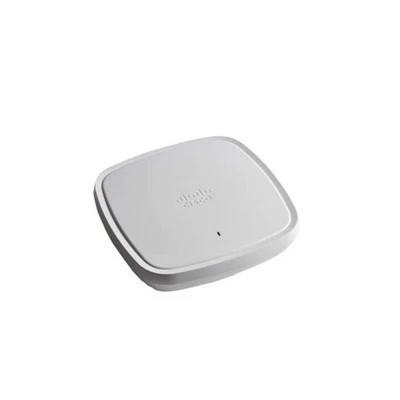
If you’re setting up a new wireless network, or your existing one is giving you headaches, don’t guess which switch to use. Reach out, tell me what you need—how many APs, what kind of space, your security needs—and I’ll help you pick the right Cisco switch for your wireless setup. No pushy sales stuff, just real advice from someone who’s been doing this for years and has seen every possible wireless switch issue. Let’s make your wireless network work as good as your business needs it to.
Wireless APs for Juniper REFERENCES
Cisco Catalyst 1000 Series Data Sheet, Cisco Systems Inc.
Cisco Catalyst 9200 Series Data Sheet, Cisco Systems Inc.
IEEE 802.3af (PoE) and 802.3at (PoE+) Standards, Institute of Electrical and Electronics Engineers.
Cisco 802.1X Authentication and Port Security Guide, Cisco Systems Inc.
AITI Tech Limited
AITI Tech Limited is one of the most professional switches for cisco manufacturers and suppliers in China for over 20 years, featured by quality products and low price. Welcome to buy bulk discount switches for cisco in stock here from our factory. If you have any enquiry about pricelist, please feel free to email us.
Address: 6F, Haogong Building, Yannan Road, Futian District, Shenzhen, China
E-mail: kelly@hkaiti.com
WebSite: https://www.hkaiti.com/
